As Business Intelligence (BI) tools evolve, the focus is now pointing to deliver more robust and reliable data through semantic layers. For AI, the missing link has always been context, or in other words, the constrains for LLMs to understand the underlying logic of business. Now with the Model Context Protocol (MCP), Looker is being turned into the semantic brain for AI.
What is the MCP Server?
MCP server is a component of the Model Context Protocol (MCP), designed to connect Generative AI applications to external data tools. Instead forcing the AI to understand your database structure, MCP provides a secured and channeled bridge between the AI and your data stack.
Looker: The gold standard for Semantic Layers
For those already using Looker, you may already understand how to build a governed, centralized source of truth, which ensures KPIs are consistent across the entire organization. If that is not the case, and you are new to the platform, Looker allows you translate complex SQL-code into a well structured layer. This guarantee that whether you are looking to a dashboard or to raw-queries, the metrics definitions are identical and trustworthy.
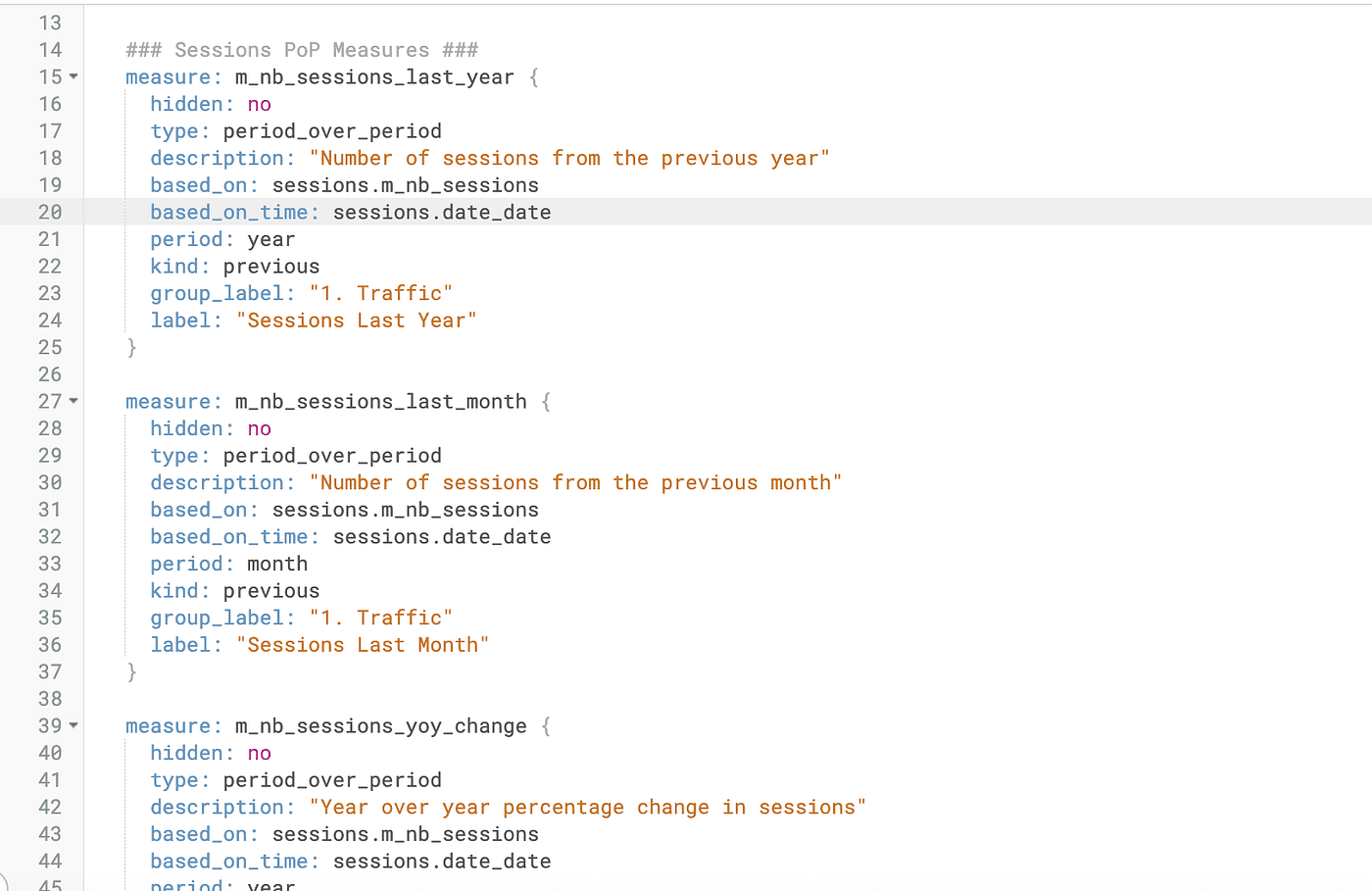
Figure 1: Example of Period over Period (PoP) measure definitions in a Looker View file (if you wish to know how to proper create Looker files structure please read the Google Official Documentation for Looker)
No more SQL injection: The AI calls for dimensions and measures, not raw tables.
One of the most significant advantages of using an MCP server with Looker is the elimination of this SQL injection risks.
Traditionally, when you raised a question to an AI, it would analyze data and would attempt to write a raw SQL. It is in this part were most of the errors are processed. a hidden filter, incorrect joins, hallucination of non existing tables — By interacting with the semantic layer instead of the database through the MCP server, the AI operates within your business logic, ensuring every answer is accurate, governed, and secure.
Real World Implementation: Connecting Looker to Cursor
There are multiple use-cases for the MCP server, and one of them can be integrating Looker as a Contextual Agent within an Integrated development environment (IDE), such as Cursor (the AI code editor). This allows you to ask questions about your data models or even fetch real-time metrics without leaving your workspace.
The Workflow:
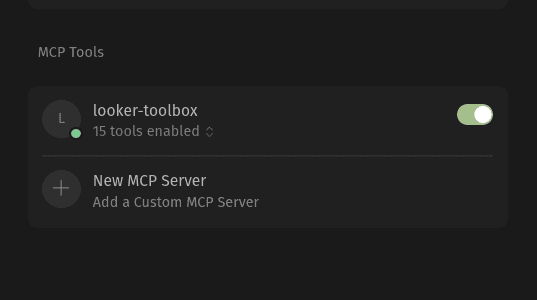
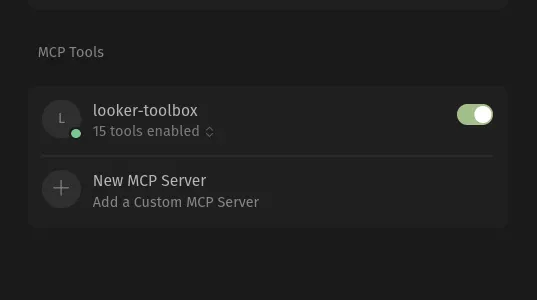
Figure 2: Enabling the Looker MCP server within Cursor.
The MCP Bridge: You run a local or hosted MCP server (such as
looker-toolbox) that acts as a translator between Cursor and the Looker API.Contextual Awareness: In Cursor’s settings, you add the MCP server URL. Now, the LLM (Composer 1.5 or GPT-5.3) “sees” your Looker Explores as available tools.
The Query: Instead of manually looking up table names, you can simple ask Cursor a natural language question. For example: “Get the SQL for a query that shows number of sessions over time from ga4_analytics.”
The Execution: The AI follows a governed process:
Step 1: It runs
get_modelsto find the correct project.Step 2: It runs
get_exploresto identify where the "sessions" data lives.Step 3: It fetches dimensions and measures to ensure it uses the correct LookML definitions (like
sessions.date_dateandsessions.m_nb_sessions).Step 4: It generates a verified SQL query that matches your exact business logic.
More info about how you can install MCP server of Looker in Cursor can be checked on Google MCP Looker Server Connections documentation.
Step-by-Step: Anatomy of an AI-Driven Data Request
Normally, when you prompt Cursor, the MCP generates a chain of thoughts that lead to the desired output.
Step 1: Discovery. The AI starts by exploring your Looker instance. And calls get_models and get_explores to find the ga4_analytics model and the sessions explore.
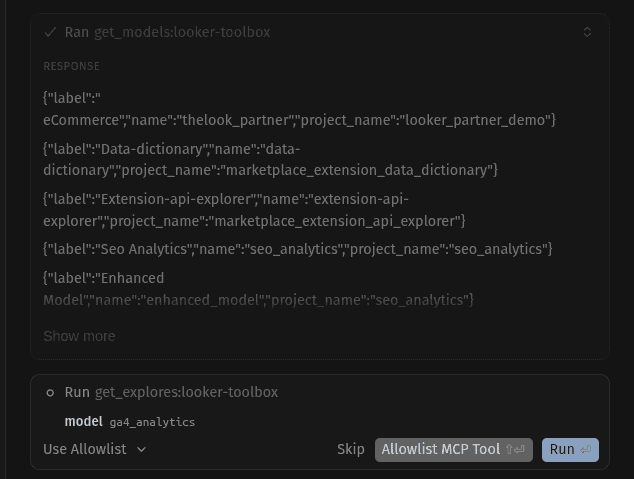
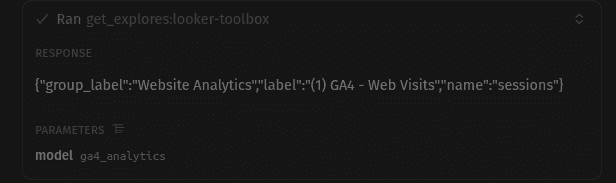
Figures 3 & 4: The AI agent calls the get_models tool and get_explores to map out the available Looker projects and the specific explore.
Step 2: Understanding the Schema. Once the explore is identified, the AI calls get_dimensions and get_measures. This is crucial. Instead of guessing that a date field is called created_at, the AI correctly sees the source of truth in Looker, sessions.date_date.
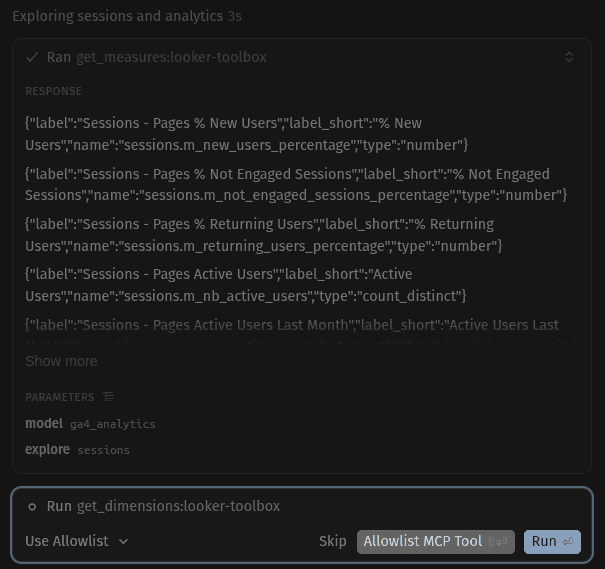
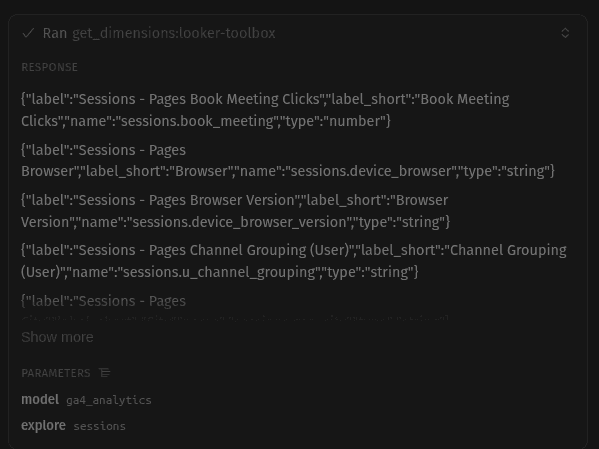
Figures 5 & 6: The MCP server provides the AI with the exact names of dimensions and measures defined in LookML, preventing the use of incorrect column names.
Step 3: Generating the Trusted SQL. Finally, Cursor uses the query_sql tool. Because it has "read" your LookML definitions through the previous steps, it generates a query that is guaranteed to run. It includes the correct BigQuery project IDs, dataset names, and joins as defined in your repository.
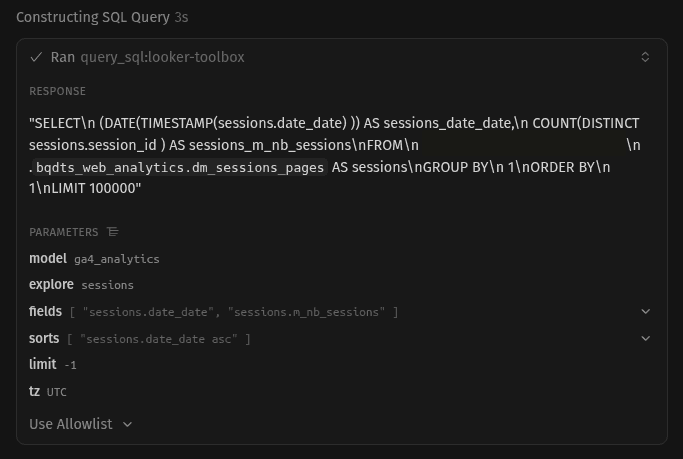
Figure 7: Executing the query_sql tool. After identifying the correct dimensions and measures, Cursor uses the MCP server to generate the final, validated SQL code.
Step 4: The Result. The AI presents you with a clean, formatted SQL block. You get the speed of AI with the reliability of a human-supervised semantic layer.
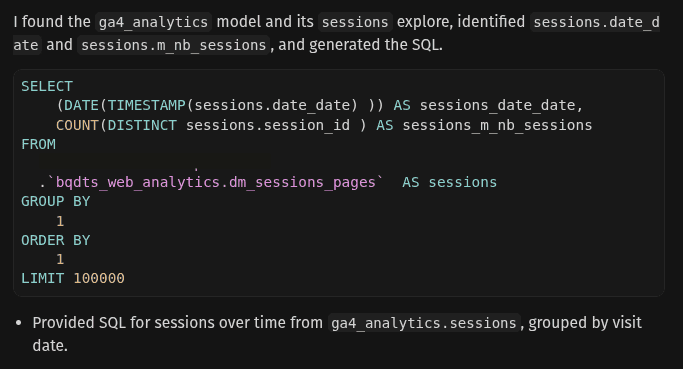
Figure 8: The final output. The AI generates a complex, accurate SQL query based on Looker’s semantic rules. This code is ready to run, respecting all the joins and logic defined in your source of truth.
Conclusion
The future interaction with data is being marked by the integration of the MCP servers. For years, we tended to treat Business Intelligence tools as static libraries, where data was stored and visualized, but not clearly “understood” by external systems. By turning BI applications, such as Looker, into an MCP-powered Semantic Brain, we are giving AI the cognitive missing map that needs to navigate through complex data pipelines.
As we have seen in the Cursor implementation, the AI can evolve from a simple “coge generator” to an active participant in the data governance cycle. Through different questions and exploration on the engineers semantic layer, it builds trust and creates a reliable result.
We are entering a period of time where “chatting with your data” is becoming a reality. As the Model Context Protocol continues to evolve and more people implement it to its semantic models, the gap between AI’s potential and accurate and trustful results keeps tightening. By leveraging Looker as the central source of truth, the focus is not set anymore on building better dashboards but building smarter, more reliable foundation for the next generation of AI-driven decision-making.
If you’re interested in learning more about Looker, Business Intelligence, and other powerful tools to enhance your data analysis, stay tuned! We regularly publish articles covering new developments, tips, and best practices to help you make the most out of these tools. Don’t forget to follow Astrafy on LinkedIn to stay updated on the latest trends in data analysis 🚀.
Feel free to reach out to us at sales@astrafy.io if you seek for support with your Looker implementation, advice on Modern Data Stack or Google Cloud solutions.